


Screenshot Pro MOD APK 7.2.2, Free
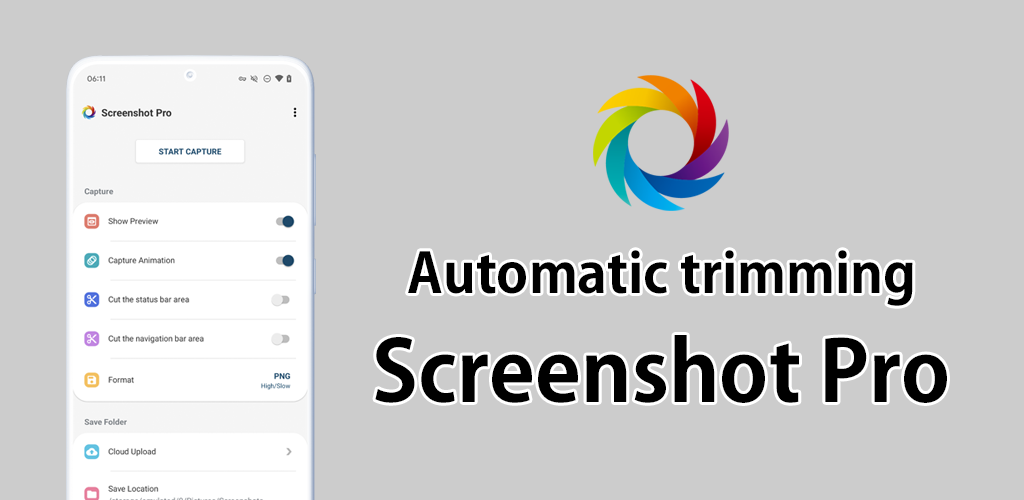
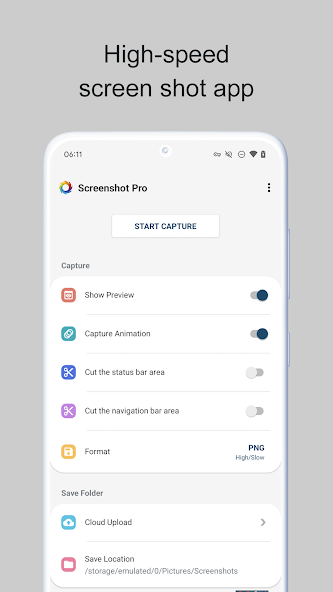
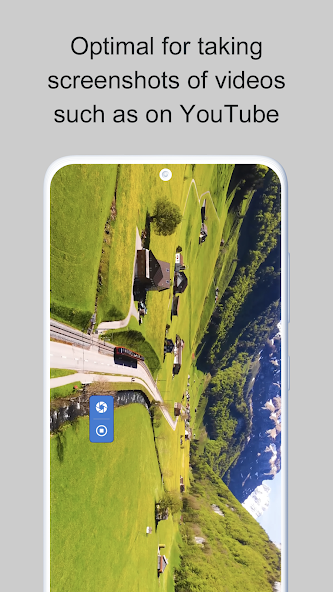
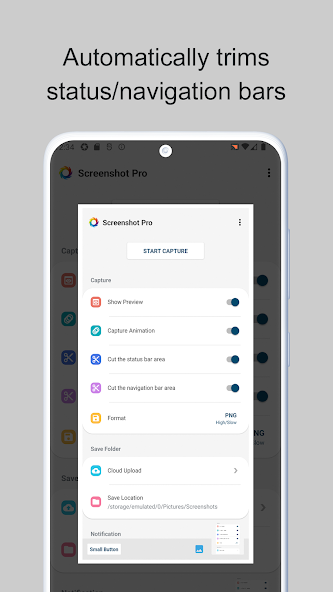
Screenshot Pro is a silent, high-speed screenshot app, perfect for taking many shots in a row. Even on devices that play a shutter sound, you can capture silently and instantly. It also supports auto burst: a series of shots taken automatically at your chosen interval.It does more than capture: edit, save and use your screenshots, all in one app. No ads, a one-time purchase, and every feature is yours for good.Handy features►Auto burst (interval capture)One tap captures a series of screenshots at your chosen interval and count (0.5–5 s, up to 50 shots or unlimited). Never miss the key moment in games and videos.►Region capture (partial screenshot)Drag to select an area before capturing and save only the part you need. Burst uses the same area.►Photo editor & markupCrop, rotate, draw, arrows, text, mosaic and blur. Edit right after you capture.►Web page captureSave a long, scrolling page as a single image.►Stitch screenshots (combine / merge)Combine several screenshots into one, vertically or horizontally.►Text extraction (OCR / text recognition)Extract text from an image to copy or search.►Export to PDFExport your screenshots as a PDF.►In-app galleryBrowse, view, edit and share your screenshots inside the app.►Dark themeA dark theme that is easy on the eyes in bright or dark places.►Shake to capture / WebP / settingsCapture by shaking your device, save as WebP, and set image quality, file name and watermark.Auto trimmingAutomatically cuts the status bar and navigation bar areas for clean, borderless screenshots. Taking many shots in a row is quick and easy.Capture features►Cut the status barAutomatically cuts the status bar area.►Cut the navigation barAutomatically cuts the navigation bar area.►Capture animationTurn the capture animation on or off.►Overlay capture buttonA movable on-screen capture button.►Notification barShows an icon in the notification bar; you can capture and review from there too.►PreviewShows a small preview after you capture.►Small buttonKeep a small button on screen so you can call up the capture button instantly whenever you want. Handy if you capture often.►Create shortcutCreate a shortcut that launches the capture button with one tap.►Save folderChoose your save folder under Pictures or DCIM.►Cloud backupAutomatically saves a copy of each new screenshot to Dropbox / Google Drive. Auto burst shots can be uploaded too.►Latest screenshotQuickly open your most recent screenshot.Great for• Taking many screenshots in a row• Capturing the best moments of games and videos in bursts• Capturing without a shutter sound• Editing, sharing and exporting to PDF after you captureOn some HUAWEI devices, apps are set not to restart automatically after the device reboots.On such devices, please change the following setting.Device Settings → Battery → App launch → set the app you want to auto-start to "Manage manually".
Screenshot Pro Introduction
Screenshot Pro En tant qu'application tools très populaire récemment, elle a attiré un grand nombre d'utilisateurs qui aiment tools partout dans le monde. Si vous souhaitez télécharger cette application, moddroid est votre meilleur choix. moddroid vous fournit non seulement la dernière version de Screenshot Pro 7.2.2 gratuitement, mais fournit également des mods Free gratuitement pour vous aider à débloquer gratuitement toutes les fonctionnalités de l'application. moddroid promet que tous les mods Screenshot Pro ne factureront aucun frais aux utilisateurs et qu'ils sont 100% sûrs, disponibles et gratuits à installer. Téléchargez simplement le client moddroid, vous pouvez télécharger et installer Screenshot Pro 7.2.2 en un seul clic. Qu'attendez-vous, téléchargez moddroid maintenant !
Caractéristiques pratiques
Screenshot Pro En tant qu'application tools populaire, ses fonctions puissantes ont attiré un grand nombre d'utilisateurs. Par rapport aux applications tools traditionnelles, Screenshot Pro offre une expérience plus riche et des fonctions plus puissantes. Il vous suffit de télécharger et d'installer Screenshot Pro 7.2.2, vous pouvez facilement découvrir toutes les fonctions, et c'est entièrement gratuit ! De plus, moddroid prend également en charge l'application tools permettant aux fans d'échanger des expériences entre eux, de partager le bonheur qu'ils rencontrent dans l'application, qu'attendez-vous, venez la télécharger maintenant
Mod unique
moddroid fournit non seulement l'original Screenshot Pro 7.2.2 entièrement gratuit, mais attache également la version mod, vous offrant les fonctions Free gratuitement, vous pouvez découvrir le plus haut niveau de Screenshot Pro 7.2.2 avec la fonctionnalité la plus complète. De plus, tous les mods ont été authentifiés manuellement par moddroid, c'est 100% gratuit et disponible. Maintenant, il vous suffit de télécharger moddroid sur le client, vous pouvez télécharger et installer la version du mod Free Screenshot Pro 7.2.2 en un seul clic, puis profiter de la commodité apportée par Screenshot Pro !
Télécharger maintenant
Cliquez simplement sur le bouton de téléchargement pour installer l'application moddroid, vous pouvez directement télécharger la version gratuite du mod Screenshot Pro 7.2.2 dans le package d'installation moddroid en un seul clic, et il y a plus d'applications de mod populaires gratuites qui vous attendent pour jouer, qu'attendez-vous, téléchargez-le maintenant!